Content Strategy
Why Posting More Isn’t the Answer: Grow Smarter in 2026
July 9, 2026
Stop losing views! A content calendar is your secret weapon for consistent content and algorithm-boosting visibility. Unlock predictable growth now.
Consistency is the secret ingredient most creators are missing — and it's costing them views. A content calendar isn't just a fancy scheduling tool; it's your roadmap to showing up reliably when your audience expects you, building momentum that algorithms reward. Without one, you're creating in chaos: wondering what to post next, missing upload days, and leaving growth on the table.
The relationship between consistency and view counts is direct and measurable. YouTube's algorithm prioritizes channels that upload on a predictable schedule — it signals to the platform that you're an active creator worth promoting. Instagram's algorithm similarly favors accounts with regular posting patterns. When you skip days or post sporadically, the algorithm perceases you as inactive and deprioritizes your content in feeds.
Consider this: creators who post 3 times per week see 40% higher engagement rates than those who post randomly (according to creator analytics data from 2024). But there's a catch — those 3 posts need to be strategically timed and genuinely valuable, not just filler content pushed out to meet a quota. A well-built content calendar helps you plan what to create, when to post it, and why your audience needs it.
Beyond algorithms, a content calendar eliminates decision fatigue. Every morning, you know exactly what you're working on. No more 11 PM panic posts or desperate pivots because you ran out of ideas. This mental clarity translates to better quality content, which drives higher view counts and watch time — metrics that matter far more than posting frequency alone.
Start by defining your posting cadence and platform priorities. Ask yourself: Where does your audience spend the most time? Are you a YouTube creator who occasionally posts Shorts, or a TikTok-first creator with Instagram as secondary? A realistic content calendar matches your capacity, not an influencer's. If you can consistently create 2 posts per week, that's your baseline — don't commit to 5 and burn out by week three.
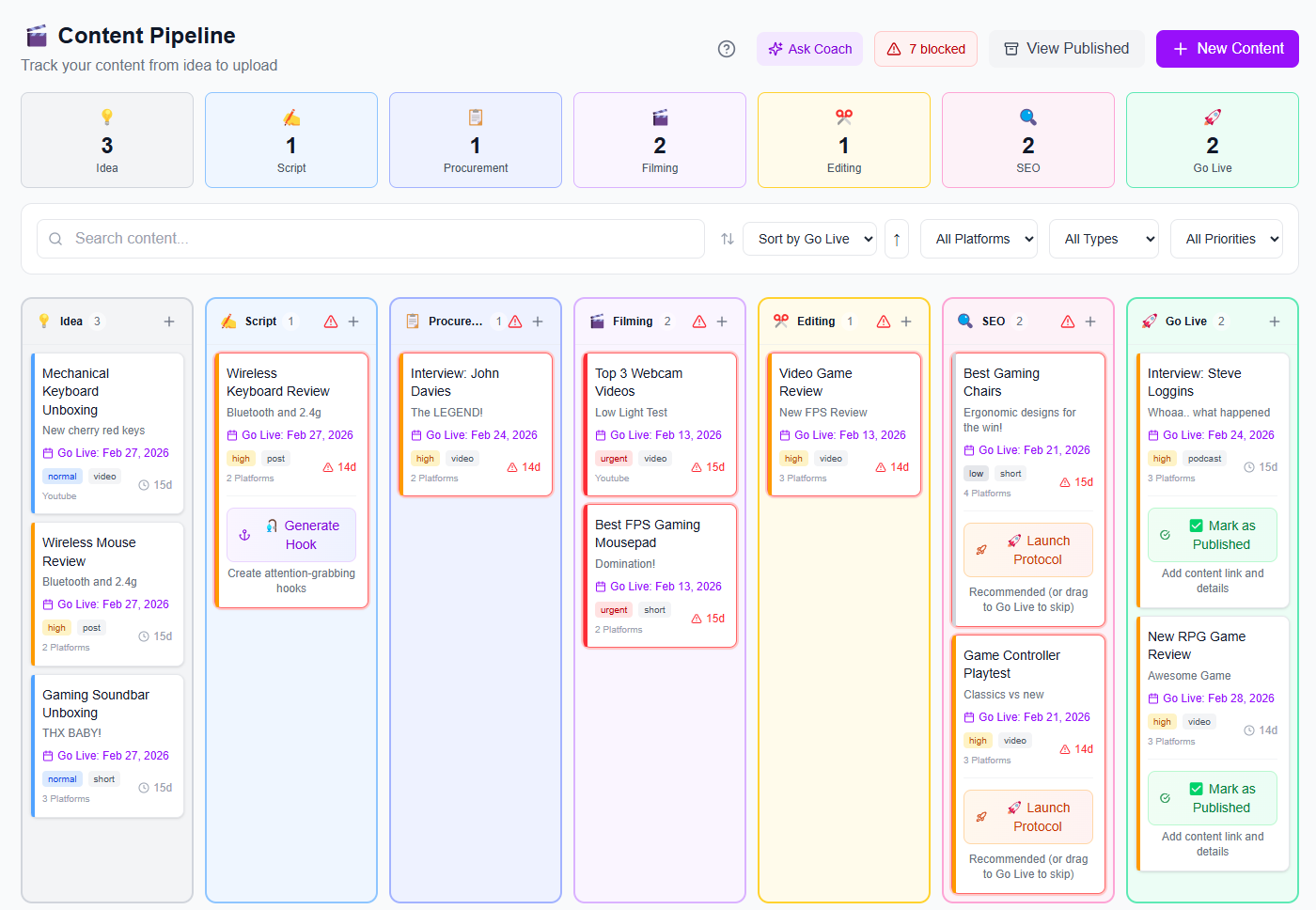
Next, map out a monthly theme or content pillars. These are the 3-5 main topic areas your audience follows you for. If you're a personal finance creator, your pillars might be: budgeting tips, investing basics, debt payoff stories, and money mindset. Having pillars prevents random content drift and makes planning faster. You can then build weekly themes around these pillars: Week 1 focuses on budgeting, Week 2 on investing, and so on.
Then, audit what actually performs. Dive into your analytics and identify your top 10 videos or posts from the last 90 days. What topics generated the most views? Which hooks got the most clicks? This data is gold — it tells you what your specific audience craves. Use this insight to allocate roughly 60% of your calendar to proven content types, 20% to new experiments, and 20% to evergreen relationship-building content (behind-the-scenes, Q&As, personal stories).
Learn more about building a consistent posting framework to maintain momentum week after week.
The best time to post isn't universal — it's audience-specific. A B2B LinkedIn creator should post at 8 AM on Tuesday when professionals are in their inbox. A gaming creator's audience is most active at 6 PM on weeknights. Check your own analytics: most platforms show exactly when your followers are online. If 40% of your audience is active between 5-8 PM, schedule your main posts then.
Stagger your content across the week to maintain visibility. If you post all 3 weekly videos on Monday, you're invisible by Friday. Instead, space them out: Monday afternoon, Wednesday evening, Friday morning. This keeps your channel in subscribers' notifications consistently. For YouTube, Wednesday uploads traditionally perform well because they fall in the middle of people's week when they're searching for content. Test different days and track how each performs — your data will reveal patterns.
Consider time zone challenges if your audience spans multiple regions. Platforms like YouTube let you schedule posts to go live at specific times, so you can optimize for your largest geographic segment while still reaching others. If your audience is 50% US and 30% EU, you might schedule posts for 2 PM EST, which reaches American afternoon viewers and European evening viewers.
Also build flex days into your calendar. These are reserved slots where you post trending or timely content that's too good to miss. If a trending sound explodes on TikTok on Wednesday but your scheduled post is unrelated, you want the flexibility to pivot. A rigid calendar kills organic growth opportunities; a smart one has both structure and breathing room.
One of the biggest mistakes creators make is creating content in ones and twos. Instead, use batching — a single day where you create 4-8 weeks worth of content at once. Block off a Saturday morning to film 4-5 YouTube videos in sequence. Same lighting, same energy, minimal setup changes. You'll produce in 3 hours what would take 12 hours if spread across separate days. This efficiency is why so many successful creators credit batching as their breakthrough.
Within your batching session, follow the 80/20 rule: spend 80% of your time on content creation, 20% on thumbnails, titles, captions, and hooks. Don't perfect everything during filming — rough footage is fine. Polish comes in post-production when you're focused and editing multiple videos back-to-back. This separated workflow is faster than the traditional "shoot → edit → publish → repeat" cycle.
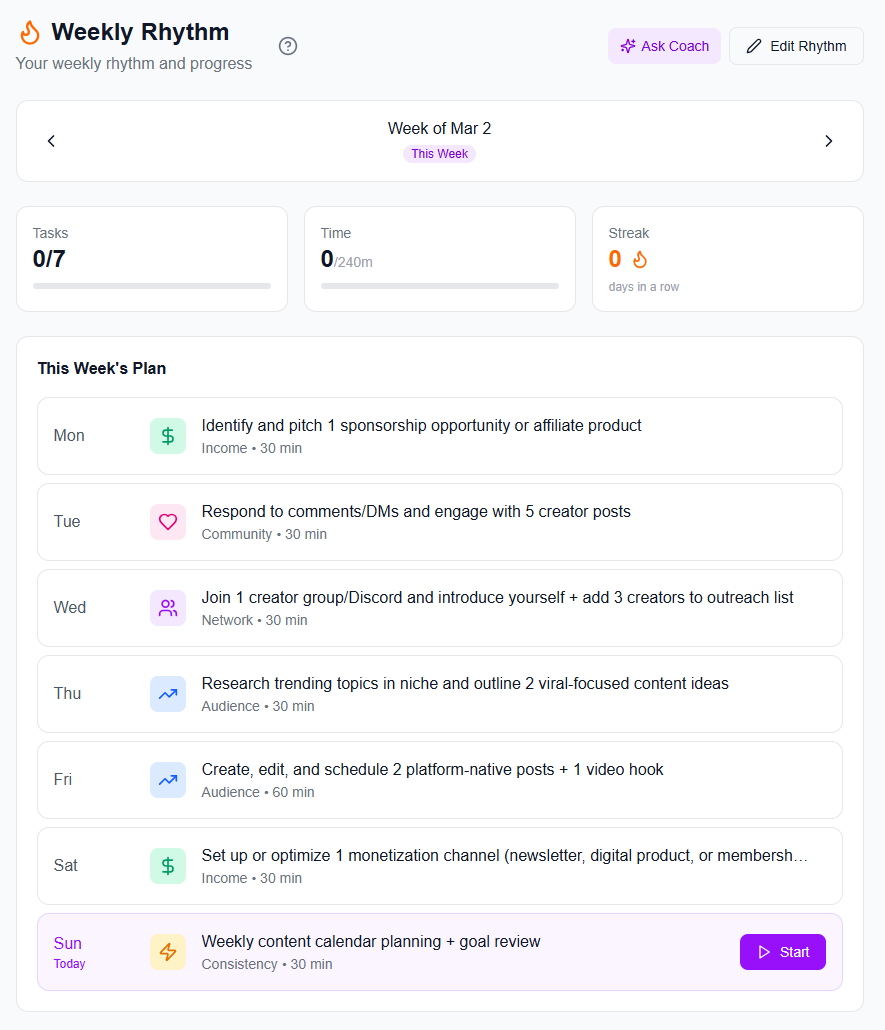
Structure your content mix thoughtfully. A winning calendar for most creators looks like: 50% educational/value content (tutorials, tips, explanations), 30% entertainment or storytelling, and 20% conversion-focused or community content (CTAs, behind-the-scenes, engagement hooks). This ratio keeps viewers satisfied while creating pathways to monetization. Too much educational content feels preachy; too much entertainment feels hollow.
Tools and Systems That Make Calendars Stick
A content calendar is only useful if you actually use it. Google Sheets, Notion, or a simple spreadsheet works fine, but it requires discipline. The columns should include: post date, platform, content type, topic/pillar, posting time, caption preview, and performance notes (for tracking what worked). Color-code by content type — this makes it easy to spot if you're over-rotating on one topic.
The real magic happens when your calendar integrates with automation. A well-organized content pipeline means you're not scrambling to schedule each post manually. You batch-create content, drop files into a folder, and a scheduling tool handles the rest. This prevents missed uploads — your biggest consistency killer.
Set calendar reminders 3 days before each post date. Use these reminders to review the caption, thumbnail (if applicable), and posting link. This gives you a final quality check without adding busy-work. If something doesn't feel right, you have time to reshoot or reschedule before it goes live.
Consistency isn't about perfection — it's about showing up reliably with content your audience trusts. A content calendar removes the guesswork and lets you focus on making great content instead of making decisions about content.
Building and maintaining a content calendar becomes exponentially easier with the right platform. iBuildInfluence's Content Planner & Content Queue tools are built specifically for creators who want to plan weeks of content at once and auto-schedule across platforms. Instead of juggling spreadsheets and multiple scheduling apps, you plan your entire month in one visual interface, see your calendar at a glance, and let the platform handle the publishing.
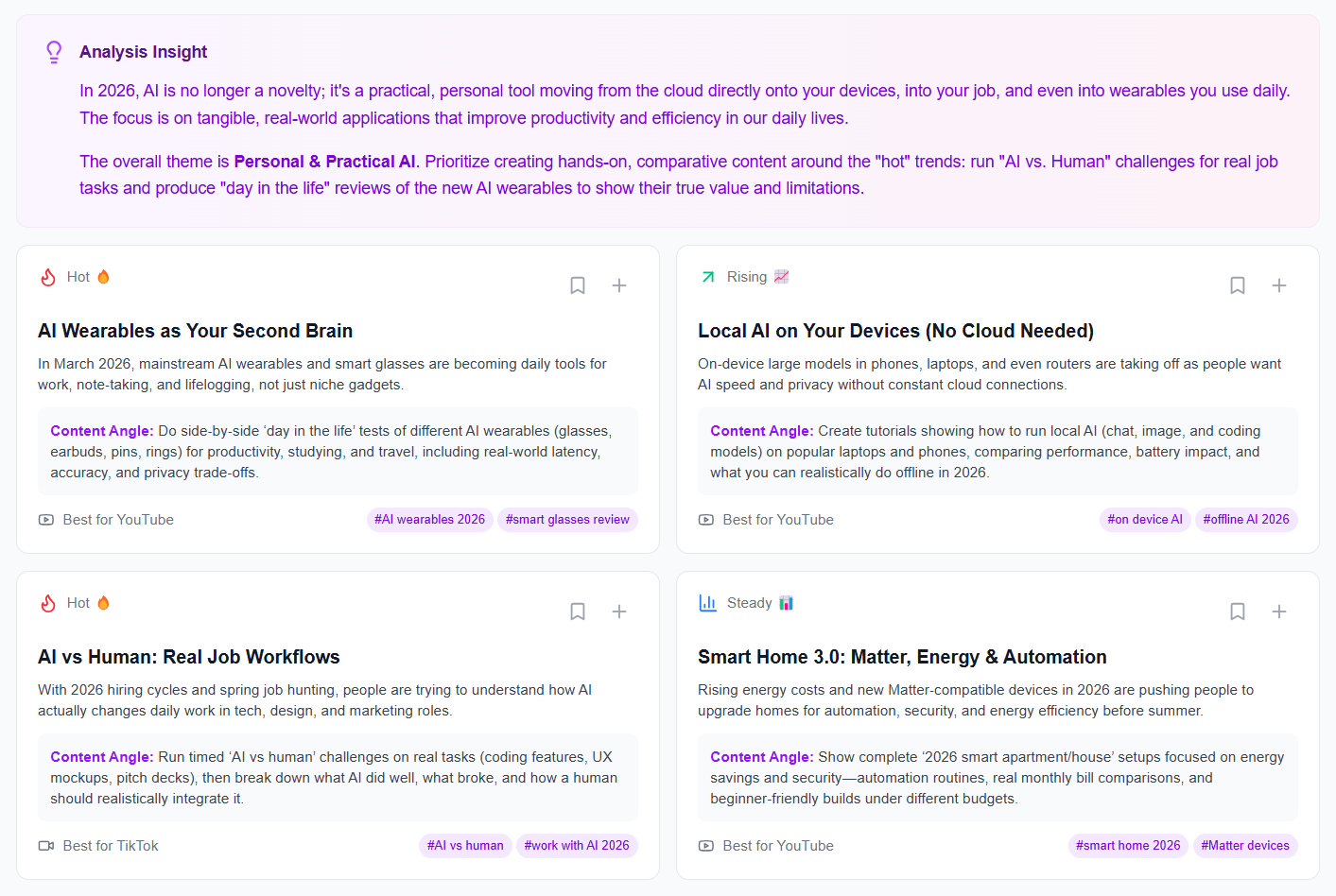
But a calendar is only as good as the content you fill it with. That's where the Content Generator comes in — it takes one single idea and turns it into a complete content package: multiple captions, hooks, scripts, and variations. Pair this with the Hook Lab, which generates 50 viral hooks per topic and scores them by likelihood to perform, and your calendar suddenly contains hooks that are scientifically optimized for clicks. To stay ahead of trends and fill your calendar with timely content, use Trend Scout to discover trending topics before they peak, ensuring your posts hit algorithms at the right moment. Finally, Social Statistics gives you cross-platform analytics — views, saves, shares, engagement rate — so you can see which calendar slots and content types are actually driving views. This data feeds directly back into your next calendar iteration, making each month smarter than the last.
Ideally, plan at least 4 weeks ahead — far enough to batch-create content and maintain flexibility for trending topics. Many successful creators plan 8-12 weeks ahead for evergreen content but keep 2-3 flexible slots per month for timely posts. This balance prevents burnout and allows spontaneity.
One missed post won't destroy your momentum, but regular gaps do signal to algorithms that you're inactive. If you miss a post, reschedule it within 24 hours and note what prevented it. Use this pattern to identify blockers — maybe Thursdays are chaotic, so move future Thursday posts to Wednesday. Perfect consistency is impossible; honest consistency is the goal.
Not exactly. Your core content pillars stay consistent, but platform-specific versions matter. A 10-minute YouTube video becomes three 30-second TikToks and one Instagram Reel. The message is the same; the format changes. Your calendar should show content themes rather than identical posts across platforms.
Key Takeaways
A content calendar eliminates decision fatigue and aligns your posting with algorithm preferences, directly boosting view counts.
Base your calendar on real data — audit your top performers and allocate 60% of posts to proven content types, 20% to experiments, and 20% to community building.
Use platform analytics to determine optimal posting times for your specific audience, then stagger posts across the week to maintain visibility.
Integrate your calendar with automation tools to prevent missed uploads and focus your energy on content creation, not logistics.
Found this helpful? Share it:
iBuildInfluence Team
Creator growth strategist at iBuildInfluence. Helping content creators land brand deals, grow their audience, and build sustainable creator businesses.
More from iBuildInfluenceJoin thousands of creators using iBuildInfluence to land brand deals, grow their audience, and build real income.
Start Free