Platform Growth
How Small Channels Can Beat Big Creators (Smart Strategies)
July 25, 2026
Ready to start your YouTube gaming channel? This guide reveals the clear workflow to publish your first video in a weekend and grow with proven tactics—no guesswork!
Want to start a YouTube gaming channel but feel overwhelmed by equipment, niche decisions, and “what to post”? The good news: you can go from zero to publishing in a weekend if you follow a clear, repeatable workflow. This guide shows you exactly how to set up your channel, create your first content, and grow using real YouTube growth tactics—without guessing.
The fastest way to grow in gaming isn’t to upload random clips—it’s to become the channel people associate with a specific style of play. A strong niche has two parts: game + viewer outcome. For example: “Valorant tips for ranked climb,” “Fortnite creative map reviews,” or “Minecraft hardcore challenge runs with clean editing.”
To choose, list 5 games you enjoy and then rank them by (1) how often you can realistically play weekly, (2) whether you can offer commentary beyond gameplay, and (3) whether your content can target a consistent viewer intent. For YouTube, intent matters because the platform recommends based on watch behavior. If you can’t name what someone gets from clicking your video, your niche is too broad.
Practical example: Instead of “I play Apex Legends,” narrow to “Apex Legends coaching breakdowns for solo queue.” You’re not only uploading matches—you’re delivering a reason for viewers to watch longer: learning. That improves retention, which is one of the strongest signals YouTube uses to decide what to recommend.
If you want to transition from a side hustle to full time later, start thinking like a business now. A content creator business plan doesn’t need to be complicated—just decide your schedule, format, and first monetization path. Many new gaming channels stall because they publish inconsistently and don’t build an audience expectation.
In week 1, complete these steps:
Channel foundation checklist (do this in one sitting):
1) Create a clear channel banner + profile that signals your niche (e.g., “Ranked Coaching • Live VO • No Fluff”).
2) Write a 2–3 sentence “what you’ll get” description. Example: “I help solo queue players rank up with practical Apex coaching, short mechanical drills, and round-by-round breakdowns.”
3) Choose 2 recurring series you can sustain for 8–12 weeks. Example: “Coach Me (weekly)” and “Patch Notes Explained + Best Builds.”
4) Set an upload target you can actually keep. A realistic starting point for most creators is 2 videos per week for 8 weeks. If you can’t, start with 1, but make it consistent.
Also, decide your format now: “gameplay with commentary,” “challenge videos,” “tutorials,” “challenge + education,” or “live reactions.” Your format should be visible in thumbnails and titles, because consistent packaging helps viewers recognize you in search and recommended feeds.
Most creators don’t fail because they can’t edit—they fail because they can’t repeat the process. A content creator workflow turns “uploading” into a system. For gaming channels, the workflow should include planning, recording, editing, publishing, and iteration based on analytics.
A simple weekly pipeline:
Monday (plan): pick one topic that matches your niche intent. If you want how to get more views, don’t only choose games—choose what people search for: “best settings,” “how to aim faster,” “ranked tips,” “new meta,” “how to beat X boss,” etc.
Tuesday (record): capture with a consistent template: short intro (10–15 seconds), then gameplay segments with clear chapters or transitions.
Wednesday/Thursday (edit): cut aggressively. Gaming viewers respond to pacing. Aim for a “hook every 20–30 seconds” rhythm in the first minute, then switch to chapters as the video settles.
Friday (publish + optimize): finalize title, thumbnail, tags, and a short description with a pinned comment CTA (ask viewers a question that aligns with the next video idea).
Saturday/Sunday (analyze + batch): review retention and traffic sources, then batch record for the following week.
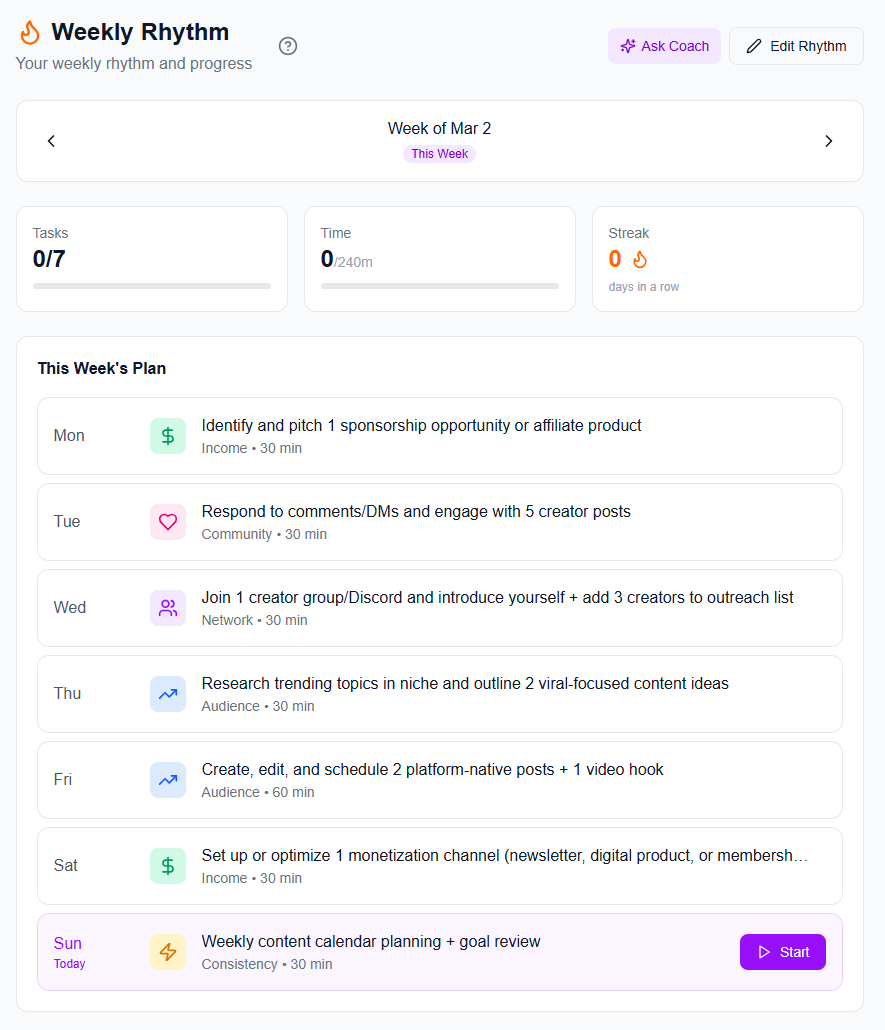
If you want content creation tools 2026 style efficiency (without getting lost in software), build your system around editing speed, thumbnail consistency, and topic research. The goal is to reduce decision fatigue so you can stay consistent.
Click-through rate (CTR) and watch time are your two main levers early on. In gaming, thumbnails and titles aren’t just marketing—they’re clarity. If they promise one thing and your video delivers another, you’ll get short sessions and YouTube will stop recommending.
Here’s a framework that works well for gaming channels:
Title formula examples:
• “I Tried (X) in (Game)… Here’s What Actually Happened”
• “(Rank/Goal) in (Days): Day 3 (Hard Truth + Fix)”
• “Best (Weapon/Build/Settings) for (Mode) (Stop Doing This)”
Thumbnail checklist: Use 1 main visual element (character/action/weapon), 1–3 words max (e.g., “RANK UP,” “NEW META,” “NO AIM ASSIST”), and ensure the subject is readable on mobile. Add contrast. If your thumbnail looks good only on desktop, you’re losing mobile traffic.
Hook strategy: Don’t “start the match” first. Start with a result, a mistake, or a challenge. Example: “If you keep dying to this corner, you’re using movement wrong—watch this.” This is how you build retention—especially important for the YouTube algorithm 2026 environment where early engagement and satisfaction signals matter.
After publishing, iterate. Look at average view duration and traffic source breakdown. If CTR is high but retention is low, fix the first 30 seconds and reduce mismatches. If retention is strong but CTR is low, rewrite titles and make thumbnails more direct.
Your first milestone isn’t a viral video—it’s a stable output rhythm and a growing library of searchable content. A common myth: “I need to go viral.” In reality, consistent publishing compounds your chances of ranking in search and being recommended for related watch sessions.
Set a 30-day momentum plan: Week 1–2: publish 4 videos total (2 per week). Week 3–4: publish 4–6 videos total, but rewrite titles/thumbnails based on performance. Track which topics bring returning viewers and which get one-and-done sessions.
If you’re asking how to get more views quickly, focus on videos that target “learning” and “problem-solving” intent—guides, coaching breakdowns, and “how to beat” content often perform well because they match what people actively search for.
Also, don’t ignore feedback. Read comments like they’re product reviews: “What part was confusing?” “What should I test next?” “Can you show a full match from this strategy?” This audience feedback loop is one of the highest ROI actions you can take—because it improves relevance and reduces wasted uploads. If you want to go deeper on the value of feedback, check Audience Feedback: The Quality Booster for Creators.
“Consistency isn’t just how often you upload—it’s how quickly you learn from what your audience actually watches.”
When you start a YouTube gaming channel, your biggest risk isn’t editing—it’s losing time to planning and inconsistent publishing. iBuildInfluence helps you build a repeatable content creator workflow across ideation, scheduling, and iteration. Use Trend Scout to find trending topic ideas before they peak, then refine with Hook Lab to generate and score strong YouTube hooks per topic.
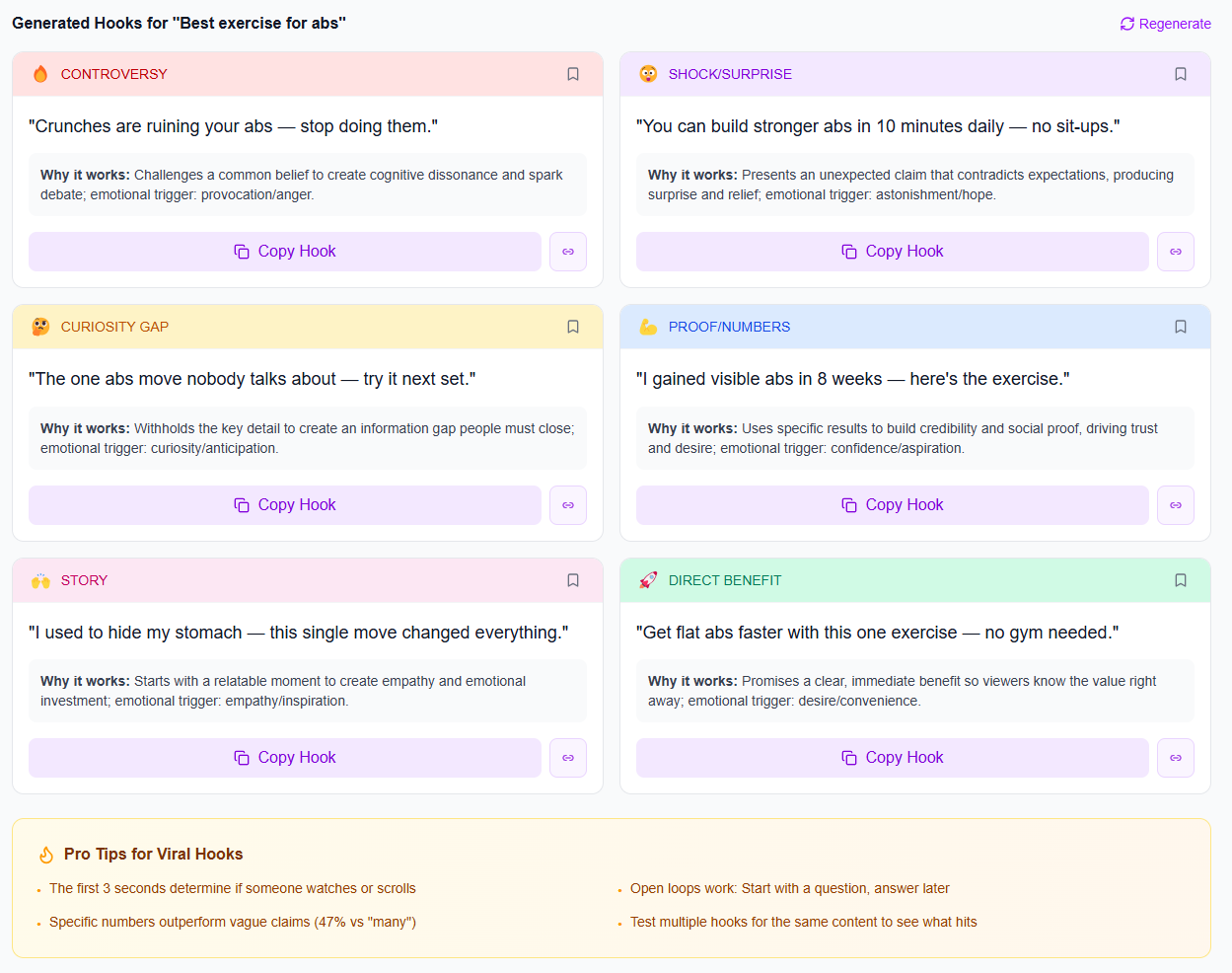
Once you have video concepts, use Content Planner & Content Queue to map your next weeks of uploads and stay consistent, and rely on Social Statistics to review performance signals like engagement and reach across platforms. For creators who want to scale into monetization, Media Kit auto-generates with live stats and you can track deal conversations with Deal Pipeline when brand opportunities start coming in.
Start by publishing content that matches a clear niche and viewer intent, like coaching breakdowns or “best settings” guides. Focus on strong packaging (thumbnail + title) and retention-focused hooks. It’s normal to grow slowly at first—aim for consistency over virality for your first 30 days.
Post 2–3 repeatable formats you can sustain: “ranked climb updates,” “tutorials,” “challenge runs with commentary,” or “patch/meta explained.” Choose topics people actively search for in Google/YouTube, then build each video around one promise (what they’ll learn or achieve).
Improve click-through rate with direct thumbnails and clear titles, then protect average view duration with faster hooks and tight pacing. After publishing, test variations by updating titles/thumbnails based on performance and keep iterating on your most successful topics.
Pick a niche as game + viewer outcome so your audience instantly understands why to click.
Treat your start like a content creator business plan: schedule, formats, and goals for the next 8–12 weeks.
Use a repeatable content creator workflow to batch record, edit faster, and publish consistently.
Write titles and thumbnails for clarity and match the promise to your first 30 seconds to protect retention.
Optimize like an experiment: track performance, iterate titles/thumbnails, and use audience feedback to guide future videos.
Found this helpful? Share it:
iBuildInfluence Team
Creator growth strategist at iBuildInfluence. Helping content creators land brand deals, grow their audience, and build sustainable creator businesses.
Try iBuildInfluenceJump in and use Social Statistics to see what is actually growing.
Open Social Statistics