Content Strategy
How to Invoice a Brand: 50/50, Net 30, and Ghosting Fix
November 4, 2026
Learn exactly what to put in your link in bio in 2026: offers, email capture, content hubs, deals, and best-practice layouts that convert.
Your link in bio isn’t a placeholder—it’s your highest-intent storefront. In 2026, people don’t just click for fun; they click to decide quickly: “Is this creator worth following, buying from, or working with?” The best link-in-bio setups combine a clear offer, audience capture, social proof, and an easy path to your next revenue step.
Most creators make their link in bio a “dumping ground” for everything they do. That feels helpful, but it usually kills conversions. Instead, pick one primary goal for the next 30 days. Common options in 2026: grow your email list, sell a digital product, book brand deals, drive traffic to your YouTube/TikTok hub, or push a waitlist.
Here’s a practical example. If your goal is to transition from side hustle to full time, your link in bio should prioritize revenue. A strong setup might look like this: “Get the Starter Pack” (digital product) → email capture for bonus resources → “Watch how it works” (short video) → “Work with me” (brand inquiries). If your goal is audience growth, flip it: “Free resource” → email capture → “Best content for new followers” → social proof.
Rule of thumb: If a link doesn’t move someone toward your primary goal, it should be secondary or removed. This is the fastest way to improve click-through rates and reduce decision fatigue.
The easiest way to increase conversions is to start with value before you ask for anything. A free offer turns your link in bio into an entry point that feels safe and beneficial. In 2026, the most effective free offers are typically: lead magnets (templates, checklists, swipe files), a short email course, a quiz, or a free chapter/module from your product.
For creators, a free offer also supports your long-term passive income for content creators strategy because email is owned distribution. Industry benchmarks vary by niche, but a commonly cited baseline for email list conversion from a dedicated landing page often lands around 1–3% for warm, engaged audiences—and can be higher with strong relevance. If your audience is already watching your content, even a small conversion lift compounds quickly.
Real setup example: If you’re a fitness creator, your link in bio could feature: “Free 7-Day Meal Prep Plan” (download) + “Get Grocery List Templates” (email follow-up) + a button that leads to your calendar or product store. If you’re a YouTuber, your free offer could be “YouTube Title & Hook Swipe File (2026)” or “CTR Thumbnail Checklist.” This aligns with people actively searching for how to get more views, not just more followers.
People use link-in-bio differently than they use your posts. They want fast answers: where should I start? If you link to random videos or a single post, you force them to hunt. Instead, create a simple content hub section like “Start Here,” “Most Popular,” or “Beginner to Advanced.”
A high-performing content hub often includes 3–6 buttons max. Examples that work well in 2026: Start Here (playlist or onboarding video), Most Popular (top 3 posts), New Uploads (your latest video series), and Build Your Strategy (e.g., a YouTube SEO checklist resource). This is especially useful if you’re optimizing the YouTube algorithm 2026 with consistent structure, because your link provides “replays” for newcomers to find the right entry point.
If you want to get serious about workflow and not rely on memory, treat your link-in-bio like a living page. Use a content creator workflow approach: decide what content is “evergreen,” what is “seasonal,” and what is “offer-led.” Then update the hub monthly. It’s one of the most overlooked “best software for YouTubers” wins—because it isn’t about the platform, it’s about conversion design.
In 2026, creators are increasingly moving from follower-based income to direct revenue streams. Your link in bio should clearly show how you monetize—without making your page feel salesy. The key is to structure offers by intent: low-friction options first, then higher-ticket opportunities.
Try a three-step ladder:
Step 1 (low cost): digital product (eBook, course, template pack, or “done-for-you” resource) or affiliate link for a product you genuinely use.
Step 2 (mid): consultation, coaching session, or a workshop with a clear outcome.
Step 3 (high intent): brand inquiry + collaboration availability.
Here’s a tangible example for a design creator. Your link-in-bio could include: “Free Icon Pack” (lead magnet) → “UI Template Kit” (digital product) → “Brand Logo Review” (service) → “Brand Partnerships” (sponsored content). If you sell digital products creator-style, your page should explain the problem the product solves and who it’s for. Don’t just say “Templates”—say “Templates for YouTube thumbnails that improve CTR.” That clarity directly supports how to get more views and how to build credibility fast.
If you’re building a passive income for content creators approach, make sure at least one link is an evergreen purchase option (templates, guides, mini-courses). Then support it with onboarding: “How it works” and “See examples.” That reduces hesitation and increases conversion rate.
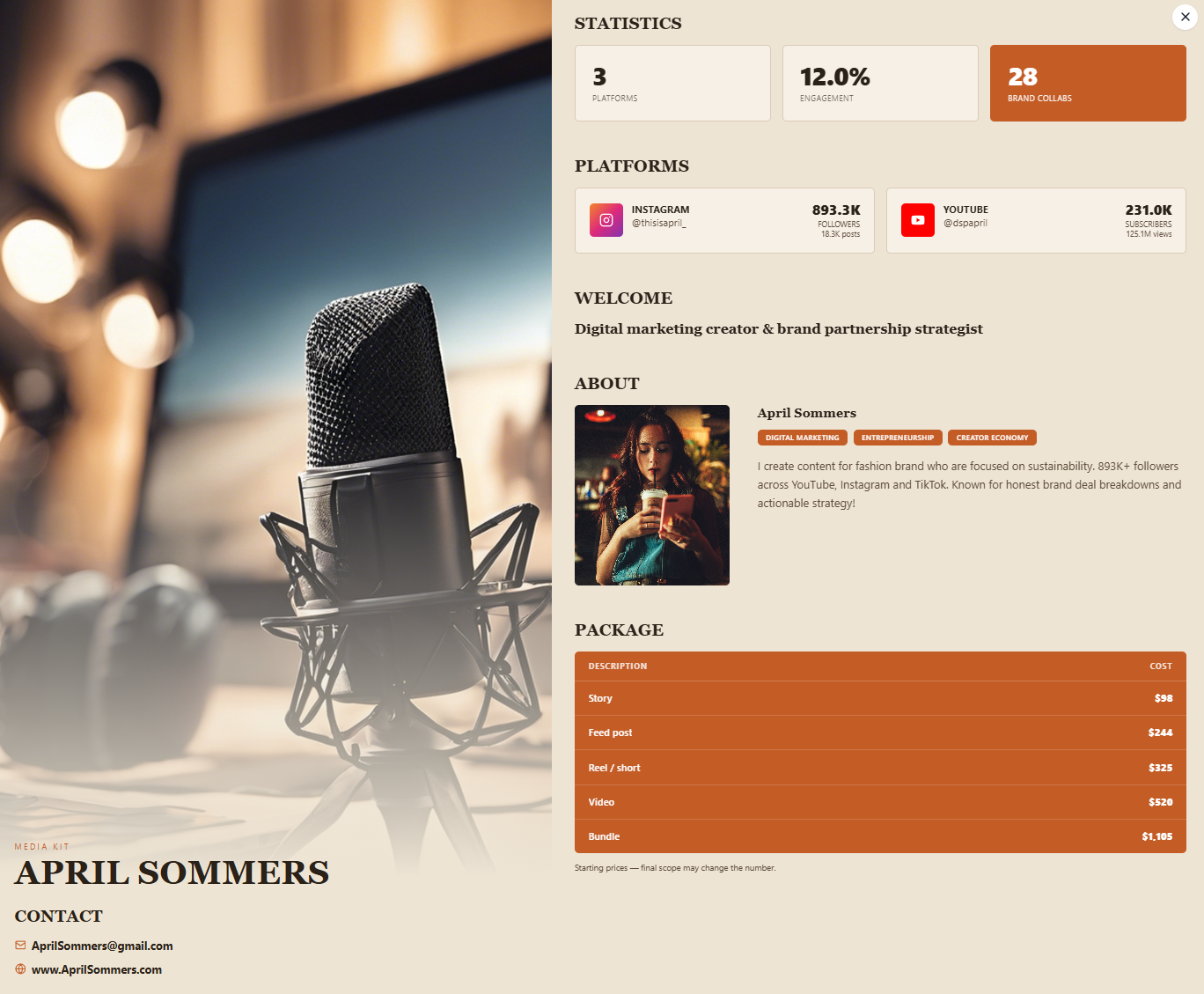
If you want brand deals, your link in bio is your first impression of professionalism. Many creators lose sponsorship opportunities simply because they make it hard to understand: rates, past results, niche fit, and how to start a conversation. Your “Work with me” section should answer those questions in under 30 seconds.
Include:
• A brand inquiry button (email or form).
• A short “What I do” statement (your niche + content formats + typical deliverables).
• Social proof (metrics, testimonials, or past campaign examples).
• Rate guidance (even ranges help).
• Availability (e.g., “Now booking for September.”)
A clean formula is: “I help [audience] get [outcome] with [content format].” Then add 2–3 bullet points like “YouTube sponsor integrations,” “Short-form ads,” and “UGC-style TikToks.” This is where creators start to look like a real business, not a hobby.
To support this, you’ll also want to track deals from pitch to payment. If you don’t, you risk ghosting, slow payment, and missed follow-ups. This is why structured deal management matters—especially if your ultimate plan is how to transition from side hustle to full time.
Your link in bio should answer one question: “What happens if I click?” Every button must lead to value, not confusion.
iBuildInfluence helps you design a link-in-bio strategy that actually converts by connecting your content, audience capture, and income pipeline. Instead of guessing what to post (or what to promote), you can build content packages with Content Generator and then create a focused promotion sequence using Content Planner & Content Queue. That means the links you place in your bio (your free offer, your product, your latest episode) stay aligned with what you’re publishing.
For the “work with me” and revenue side, iBuildInfluence supports creator-business operations with tools like Pitch Machine (to send polished brand pitches quickly) and a Deal Pipeline (CRM tracking from first pitch to payment). When your link in bio drives brand inquiries, these tools help you respond faster and follow through—so the traffic doesn’t just click, it closes.
Use a conversion-first structure: one primary goal, a free offer for email capture, a content starter hub, and a clear monetization path (digital products or services). If you want brand deals, include a “Work with me” section with a simple inquiry method and basic partnership info.
Make every link outcome-based and reduce choices. Use clear button labels (e.g., “Get the Free YouTube Hook Pack”) and keep the total number of main links around 3–6. Also update your link monthly to match your current content and offers.
Yes—especially if you’re trying to learn how to transition from side hustle to full time or sell digital products creator-style. A link in bio helps you capture emails, direct traffic, and make partnerships easier, regardless of follower count.
Pick one primary goal for your link in bio and design everything around it.
Lead with a free offer to capture emails and convert newcomers into an owned audience.
Create a small content hub (“Start Here,” “Most Popular”) so people can instantly find the right next step.
Include a clear monetization ladder: digital products, services, and/or brand partnerships.
Track and respond to opportunities: faster outreach and better follow-through turn clicks into revenue.
Found this helpful? Share it:
iBuildInfluence Team
Creator growth strategist at iBuildInfluence. Helping content creators land brand deals, grow their audience, and build sustainable creator businesses.
Try iBuildInfluenceJump in and use the calendar to lock the day your next post goes out.
Open the calendar