
Creator Tips
iBuildInfluence Is Your Creator Growth Platform (All-in-One)
September 30, 2026
A practical goal system for creators: set measurable targets, plan content, track performance, and turn momentum into income using iBuildInfluence tools.
Hitting your content creator goals isn’t a motivation problem—it’s a systems problem. Most creators either post randomly, don’t track what works, or struggle to turn views into income. This guide shows you how to use iBuildInfluence to set goals, execute a creator content workflow, and build measurable momentum week after week.
Start by converting vague ambitions into numbers. Instead of “grow my channel,” pick one clear outcome and attach a metric. For example: “Publish 2 Shorts daily for 30 days and reach a 3% average engagement rate” or “Increase YouTube CTR from 4.2% to 6% on videos in the first 14 days after publishing.” Those targets create a feedback loop—meaning you’ll know what to fix.
Here’s a simple structure for a content creator business plan that fits your real bandwidth: choose (1) a growth goal, (2) a consistency goal, and (3) a revenue goal. For instance: Growth: hit 60,000 total views in 90 days. Consistency: publish 3 YouTube videos per week. Revenue: secure 1 sponsor deal or sell 50 digital products units in a quarter. If you’re focused on how to transition from side hustle to full time, add an income runway metric: “Generate $1,200/month from creator income streams by the end of 12 weeks.”
Practical step (10 minutes): write your goals as if you’re reporting them to a manager. Use “by date + number + metric.” Then decide the leading indicators you’ll watch weekly (not just outcomes). Leading indicators might include: CTR, average watch time, saves/shares, email sign-ups, and outreach responses.
Consistency isn’t about posting more—it’s about having a workflow you can sustain. The typical creator trap looks like this: you brainstorm at night, script in a rush, shoot when you’re tired, and edit with no template. That usually leads to uneven quality and a backlog that kills momentum. If you’re searching for the YouTube algorithm 2026 advantage, here’s the real truth: the algorithm rewards content that performs predictably, and predictability comes from process.
Use a workflow that turns one idea into multiple formats, so every production day compounds. For example, when you create a “how to get more views” YouTube video, also produce: 3 Shorts, 1 community post, 1 email topic, and 5-10 caption variations for different hooks. This approach reduces pressure and increases total attempts—which matters because growth is stochastic: each upload is a chance to hit.
To make this real, plan one weekly cycle around batching. Shoot and outline in one block, edit in another, and schedule across the week. If you want an example creator schedule: Monday script + thumbnail plan, Tuesday shoot, Wednesday edit, Thursday write descriptions + set up scheduling, Friday publish + review performance. If you’re working from a template, your best software for YouTubers should support planning, queueing, and tracking without you rebuilding the system every week.
Practical step (today): pick one “content pillar” and generate 5-10 ideas for it. Then map each idea to a format: one long video, two supporting Shorts, one repurposed clip, and one email angle. This gives you a content creator workflow you can repeat.
Most creators guess. They assume the algorithm will “figure it out,” or they pick hooks based on what they personally like. But performance is measurable. Even a small improvement in CTR or retention can drive large view changes over time. For example, if your average CTR is 4% and you improve it to 6%, you’ve increased the number of clicks by 50% without uploading more—often leading to more impressions and broader reach.
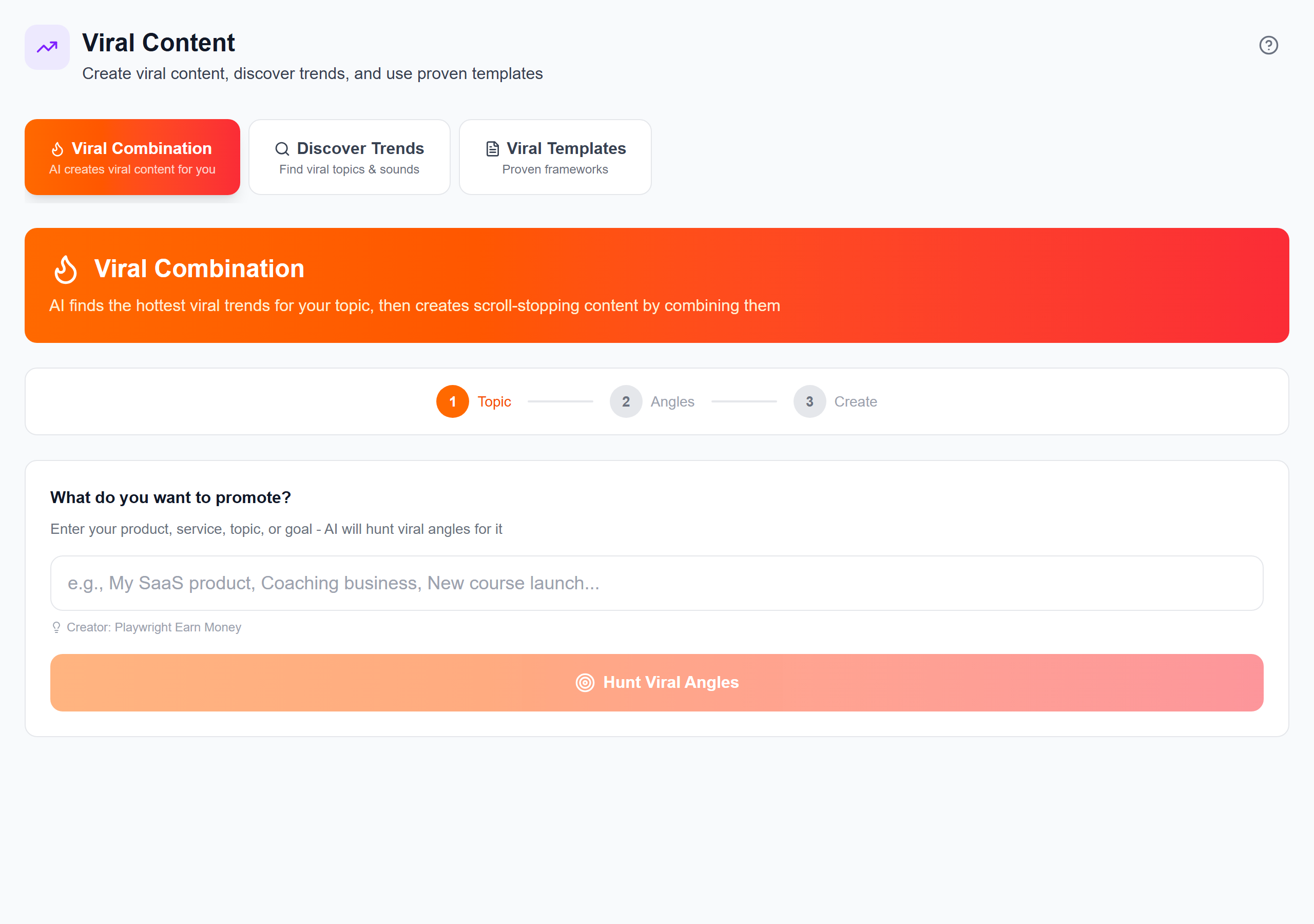
Start by improving the entry point (the hook/title) and pairing it with the content promise. Use hook testing and scoring so you’re not writing blind. In iBuildInfluence, Hook Lab can generate and score hooks by topic—so you can choose the best options for your audience. Pair that with Viral Combination to discover topics before they peak, which helps your videos ride momentum rather than chase it.
Then verify what’s working using cross-platform signals. The goal isn’t vanity metrics; it’s finding patterns: which themes get more saves, which hooks boost early retention, and which formats earn comments. iBuildInfluence’s Social Statistics helps you compare performance across platforms so you can adjust your next batch with confidence.
Practical step (repeat weekly): review performance using three questions: (1) Which posts earned the most shares/saves? (2) Which videos have rising CTR or improving audience retention? (3) What topic repeats across your best performers? Turn those answers into your next content queue.
If you want to connect hook optimization to monetization, also review how your best traffic sources align with your revenue model—especially if you’re working toward sponsored content or other offers. You can start with YouTube CTR Mastery: Thumbnails, Hooks & Viewer Psychology and then refine your upload plan using your weekly stats.
Creators often treat monetization like a separate job. They post, hope, and then scramble for sponsorships when revenue feels low. A better approach is to build income streams as part of the same system: content creates demand, and offers capture that demand. Whether you’re pursuing passive income for content creators (like digital products) or direct revenue (sponsors, services, affiliate links), your goal is the same: reduce friction between “audience interest” and “you getting paid.”
Start with one primary monetization lane and one secondary lane. Primary lane example: sponsored content. Secondary lane example: selling a digital product. If you sell digital products, you must create assets that match viewer intent. Common winners include templates, mini-guides, and content packs. If your channel teaches YouTube growth, you could sell “CTR and thumbnail templates,” “hook bank,” or “workflow checklists.” For ideas, see What to Sell as a Creator: 10 Digital Product Ideas That Sell.
Next, make outreach and deal tracking measurable. You need a predictable pipeline, not a hope-based one. With iBuildInfluence, Pitch Machine speeds up brand pitch writing, while Deal Pipeline tracks deals from first pitch to payment. That matters because creators lose money when they don’t follow up consistently or can’t tell where a deal is stuck. If you want to tighten your YouTube revenue strategy, it also helps to align content topics with monetization opportunities—then adjust based on performance. You can explore Influencer Marketing for YouTubers: Partnerships & Sponsored Content That Converts for a practical sponsorship approach.
Finally, protect your cashflow. Use templates and structure for agreements and invoices so payments don’t drift. When you know your market rate and expected timelines, you can plan your “how to transition from side hustle to full time” path realistically—not just emotionally.
Practical step (next 7 days): define your offer, set a price point, and create a simple campaign schedule. Example: publish 2 videos that lead to the offer, run 3 email outreach touches (or community posts), and track conversions. Then document the numbers so your next quarter improves.
Goals don’t fail you—vague goals do. If you can’t measure it weekly, you can’t improve it.
iBuildInfluence supports the entire creator loop: plan what to make, ship it consistently, measure what works, and convert attention into income. For consistency and execution, Content Planner and Content Queue help you map weeks of content and schedule automatically, so you’re not re-building your content calendar every Sunday night. If you’re trying to avoid random posting, this is one of the fastest ways to make your content creator workflow real.
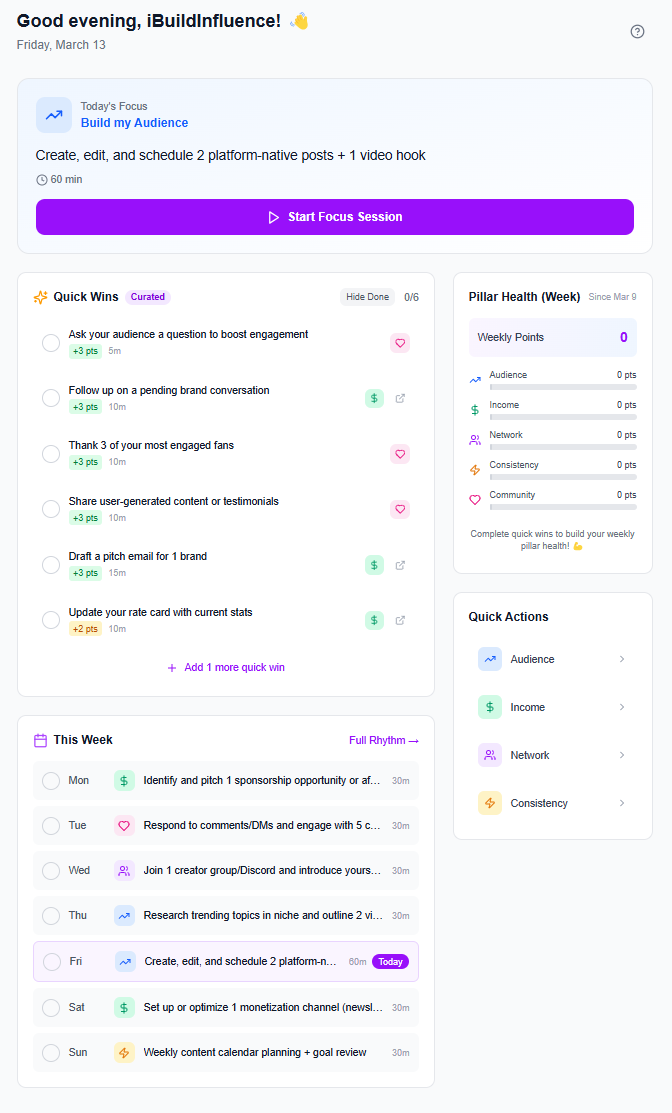
To hit performance goals, use Hook Lab for hook ideas and scoring, Trend Scout to find topics before they peak, and Social Statistics to review what actually drives engagement and growth. Then for monetization and partnerships, Pitch Machine and Deal Pipeline create a measurable path from outreach to payment—so you can manage deals instead of chasing them. And because consistency and monetization work together, you can run your growth system without losing track of revenue.
Build a goal system with weekly leading indicators (CTR, retention, email sign-ups) and monthly income targets. Pair content output with one monetization lane (sponsorships or digital products) and track conversion so you know what to scale. iBuildInfluence helps by planning your schedule, measuring performance, and managing outreach through a deal pipeline.
The best software is the one that supports planning, automation, and tracking—not just editing. Look for tools that manage your content schedule and help you iterate based on results. iBuildInfluence’s Content Planner and Content Queue are designed for creator workflows, so you can plan weeks ahead and stay consistent.
Use batching and a repeatable workflow: generate multiple content assets from one idea, test hooks, and schedule with a backlog you can execute. Improve distribution using data (CTR, engagement, shares/saves) so each new batch is smarter than the last. With iBuildInfluence, Hook Lab and Social Statistics make iteration faster and less stressful.
Turn vague ambitions into measurable weekly targets so you can improve what you publish.
Use a repeatable content creator workflow (batching + repurposing) to stay consistent without burnout.
Boost performance by testing hooks/titles and using data-driven next steps.
Monetize with a pipeline: align offers to content, then track pitches and deals to payment.
Use iBuildInfluence to plan, schedule, measure, and manage partnerships in one creator-focused system.
Found this helpful? Share it:
iBuildInfluence Team
Creator growth strategist at iBuildInfluence. Helping content creators land brand deals, grow their audience, and build sustainable creator businesses.
Try iBuildInfluence